QR codes are everywhere when we travel now, on restaurant tables, parking meters, hotel signs, airports, train stations, and transit machines. This travel scam known as Quishing or QR code phishing is becoming the fastest growing travel scam warning out there. Most QR codes are legitimate, but scammers are using fake QR code stickers and fake payment pages to catch travellers when they are tired, rushed, or distracted.
Key Takeaways
- The qr code travel scam, known as Quishing, includes fake QR codes used to steal personal info from travelers.
- Check for suspicious QR codes at restaurant tables, parking meters, and transit stations; they often mimic legitimate codes.
- Always inspect the physical QR code and check the URL before entering any sensitive information.
- If you suspect a QR code is fake, close the page and notify the relevant authorities immediately.
- Stay cautious but don’t avoid QR codes; adopt the habit of pausing, checking, and then paying.
What Is the QR Code Travel Scam?
How the fake QR code scam works
A scammer does not always need to hack a system or damage a payment machine. Sometimes they print a fake QR code sticker and place it directly over a legitimate code.
From a quick glance, the sign still looks official. The logo may look familiar. The instructions may seem normal. The page that opens may copy the colours, layout, and branding of the real company.
You think you are paying for parking, ordering food, checking into a hotel, or settling a toll. Instead, criminals may be collecting your credit card number, password, phone number, licence plate, email address, or other personal information.
The FTC has also warned about fake traffic violation texts that begin with a QR code and try to scare people into paying a fake unpaid balance.
The FTC has warned that scammers hide harmful links in QR codes to steal personal information, including by placing fake QR codes over real ones on parking meters.
The three places to Most likely to see fake QR code Travel Scams
1. Restaurant tables and café menus
Many restaurants now use QR codes for menus, ordering, or payment. Most are legitimate, but travellers should still be cautious. This is the easiest travel scam for QR code phishing as everyone uses it.
A menu QR code should usually show a menu. Be careful if it asks for information it does not need, such as your passport number, banking details, hotel room number, or a password.
Before scanning a QR code on a restaurant table, look at the surface. Does it look printed into the menu or table sign, or does it look like a sticker placed on top? If it looks raised, crooked, bubbled, or mismatched, ask staff for a printed menu or the restaurant’s official website.
2. QR Codes at Parking meters, tolls, and rental car payments
Parking is one of the easiest places for this scam to work because travellers are often rushed and confused.
You may not know the local parking app. You may be dealing with another language. You may be worried about getting a ticket. That pressure makes a “scan to pay” sticker feel helpful.
Before paying through a parking QR code, inspect the sticker, read the URL preview, and check whether the payment page matches the city, parking authority, or official app named on the machine.
If anything feels off, do not use the QR code. Type the official website yourself, use the official parking app, pay at the machine, or ask local staff for help.
3. Scanning QRs Airports, train stations, hotels, and transit areas
Airports and transit stations are full of QR codes: Wi-Fi, directions, tickets, luggage storage, forms, lounge access, and service information. Travel scams often happen when travelers are in a hurry. If you need wifi, a taxi, some food, QR codes are often the easiest way to catch you off guard.
That does not mean every code is unsafe. It means you should slow down when a public QR code asks for payment, passwords, ID documents, or personal information.
The FBI warns that malicious QR codes can send people to fake sites, steal victim data, embed malware, or redirect payments. The FBI warns that criminals can tamper with QR codes to redirect payments, steal login and financial information, or send people to malicious websites.
simple QR Code Scam rule: Pause. Check. Then pay.
The easiest way to avoid this scam is to build one habit before you scan a public QR code.
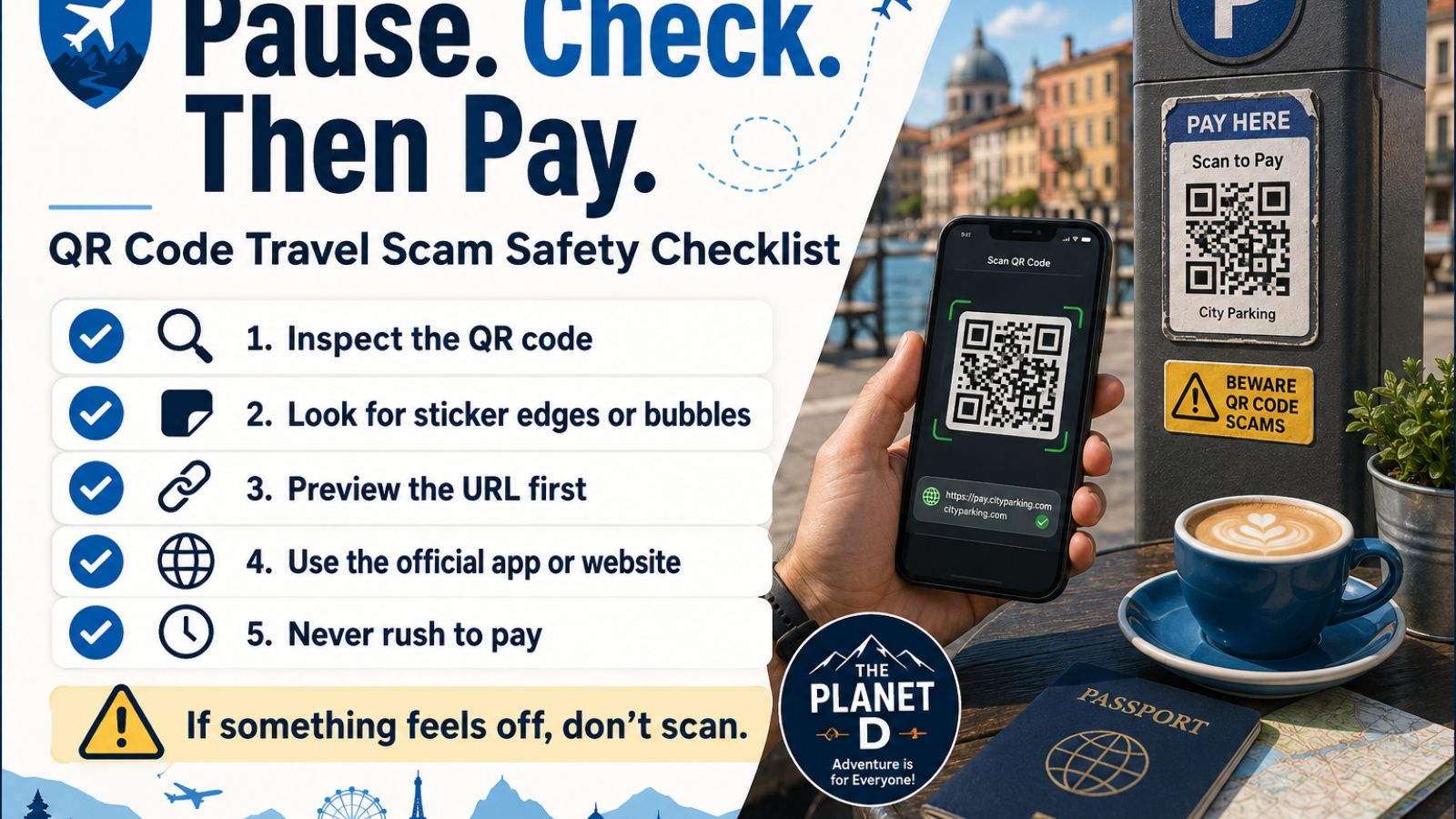
Pause. Check. Then pay.
Step 1: Pause before scanning at QR code
Do not scan just because a sign looks official. Public signs, parking meters, table cards, and posters can be tampered with.
If the message says you must pay immediately, avoid a fine, settle a toll, confirm a booking, or prevent a penalty, slow down. Urgency is one of the biggest warning signs.
Step 2: Check the physical code to ensure it’s not a scam
Before your phone opens anything, look at the QR code itself.
Check for:
- Raised corners
- Air bubbles
- Peeling edges
- Mismatched colours
- Different paper or plastic
- A sticker placed over another code
- A code that looks crooked or out of place
We call this the scratch test. You are not damaging the sign. You are simply checking whether the QR code feels or looks different from the rest of the surface.
Canadian readers can also check the Canadian Centre for Cyber Security’s QR code safety guidance and report fraud through the Canadian Anti-Fraud Centre.
Step 3: Check the URL before entering anything
Most phones show a preview of the website before opening the page. Read it.
Look for misspellings, extra words, strange endings, random letters, shortened links, or a domain that does not match the company, hotel, restaurant, city, or attraction.
Do not rely only on the padlock symbol. A secure connection does not automatically mean the site is legitimate. The real question is whether you are on the correct website.
The FTC has also warned about fake traffic violation texts that include a QR code and pressure people to pay a fake unpaid balance.
Step 4: Think it’s a Travel Scam? Go directly to the official site or app
For payments, passwords, account logins, or identity information, the safest option is often to bypass the QR code.
Open your browser and type the official website yourself. Use an app you already installed from the official app store. Ask an employee for the correct payment method. Contact your hotel, airline, rental car company, or bank through the phone number on your booking or card — not through the number on a suspicious page.
What to do if you already scanned a suspicious QR code
First, do not panic. Scanning a QR code does not automatically mean your information has been stolen. The bigger risk usually begins when you enter payment information, type a password, download a file, or provide personal details.
If you scanned a suspicious code:
Close the page immediately if the link looks wrong, the message creates urgency, or the site asks for information you did not expect to provide.
Do not download an unfamiliar app or file from a QR code.
If you entered credit card information, contact your bank or card issuer using the official number on the back of your card or through the official banking app.
If you entered a password, change it through the official website or app. If you reused that password anywhere else, change it there too.
Watch for follow-up messages. A scammer who has some of your information may later pretend to be your bank, hotel, airline, rental car company, or payment provider.
Report the fake QR code to the business, parking authority, hotel, airport, or local authority so they can remove it.
How to a QR code Scam From Legit
A QR code may be suspicious if it looks like a sticker placed over another code, has peeling edges, opens a strange URL, uses a shortened link, creates urgency, asks for information that does not make sense, or directs you away from the official website or app.
At a restaurant, a QR menu should not need your passport or banking password. At a parking meter, the payment page should match the city or parking authority. At a hotel, a check-in code should not send you to a random payment page outside the official booking system.
The BBB has also warned consumers to double-check QR codes before paying for parking.
Should you stop using QR codes when travelling?
No. QR codes are part of modern travel, and many are perfectly safe.
The goal is not to panic every time you see one. The goal is to stop treating every QR code as automatically trustworthy.
A few seconds of inspection can protect you from a much longer financial or account-recovery problem later.
QR codes are convenient, but convenience is exactly what scammers are using against travellers.
Before scanning a public QR code at a restaurant, parking meter, hotel, airport, train station, attraction, or transit stop, remember the rule:
Pause. Check. Then pay.
Inspect the code. Read the link. Go directly to the official website or app when money, passwords, or personal information are involved.
That tiny pause may be the thing that saves your trip.
Is scanning a QR code dangerous?
Scanning a QR code is not automatically dangerous. The danger usually begins when you open a suspicious page, enter payment details, type a password, download a file, or provide personal information without checking whether the site is legitimate.
How do I check if a QR code is safe?
Inspect the physical code for stickers, raised edges, bubbles, peeling corners, or anything placed over another code. Then check the URL preview before opening the page. If the link looks strange or does not match the official company, city, hotel, or attraction, do not use it.
What should I do if a QR code asks for payment?
Before entering payment information, make sure the website belongs to the official business or authority. When in doubt, use the official app, type the website manually, pay directly at the machine, or ask staff for the correct payment method.
What should I do if I fell for a travel scam and entered my credit card on a fake QR code site?
Contact your bank or card issuer immediately using the official number on the back of your card or your banking app. Watch for suspicious charges, replace the card if needed, and do not use any contact information from the suspicious website.
Read next: