In macOS 27 Golden Gate, Apple has brought some meaningful updates to iPhone Mirroring besides a new app icon. Here’s what’s new.
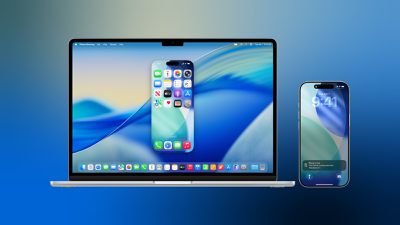
macOS 27 is currently in developer beta, with a public beta coming next month and a general release expected in the fall.
Window Resizing
In macOS Tahoe, iPhone Mirroring is constrained to the iPhone’s native aspect ratio, so window resizing is limited to the device’s fixed proportions. Smaller, Actual Size, and Larger are the only options. By contrast, macOS 27 introduces support for multiple aspect ratios. Depending on the chosen aspect ratio, iPhone Mirroring displays either a modified iPhone interface or an app’s available iPad layout. Adjustments are limited to iOS 27-compatible apps for now, but expect this to change when developers update their own apps. The change has also stoked speculation about a rumored foldable iPhone coming in September.
Control Center Access
In macOS 27, you can now access your iPhone’s Control Center directly from your Mac using the Command-4 keyboard shortcut or via the View menu in the menu bar. Previously, iPhone Mirroring didn’t support Control Center access at all.
DRM Support
macOS 27 also adds support for DRM-protected video playback in iPhone Mirroring. In macOS Tahoe, attempting to watch protected content, such as videos from streaming services or rented movies, results in a black screen on your Mac. With the next major update, however, you can view DRM-enabled content directly through the mirrored iPhone window.