There’s just about a month to go until Apple unveils new iPhones at its September event, and that means time is running out for Apple to perfect iOS 26. We’ve reached a weekly beta update cadence, and Apple seeded iOS 26 beta 6 to developers today.

There are changes to Liquid Glass, tweaks to navigation, new ringtones, and more.
Ringtones
There are now several variants of the Reflection ringtone, including Buoyant, Dreamer, Tech, Pop, Reflected, and Surge. Reflected is the “Alt 1” Reflection ringtone that was added in the second beta of iOS 26.
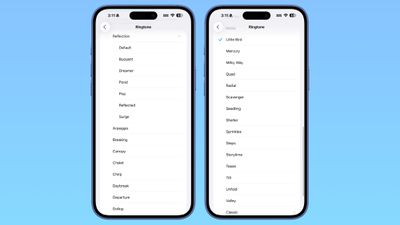
There’s also a new Little Bird ringtone.
Toggles
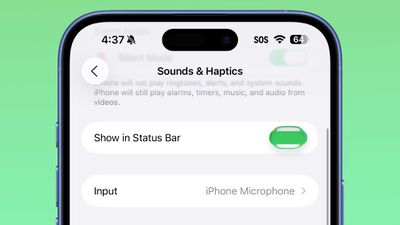
Toggles now have a Liquid Glass effect when tapped.
Lock Screen
The Liquid Glass effect on the Lock Screen has been updated. The clock is more transparent than it was before, though it still has a frosted glass look.
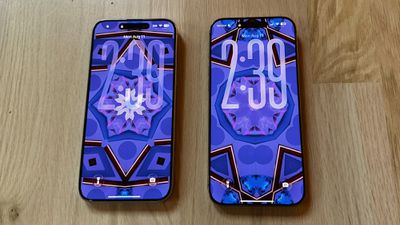 iOS 26 beta 6 on left, beta 5 on right
When entering a passcode, the passcode buttons are now more translucent than before.
Navigation Bars
Navigation bars in apps have been slightly updated to enhance translucency without impacting readability.
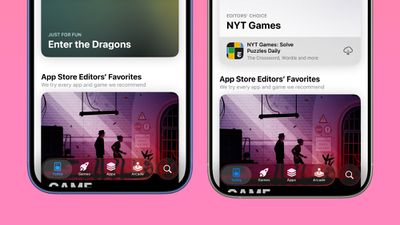 Beta 6 on left, beta 5 on right
In some places, there’s more translucency, but in others, the background is more opaque so that text can still be read even if the background is busy.
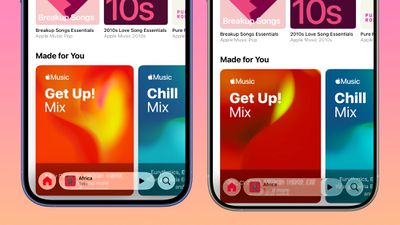 Beta 6 on left, beta 5 on right
App Animations
Apple changed the animation for opening and closing apps, and it’s much faster than before so apps open more quickly. The animation has a very slight bounce to it, matching the bounce that’s been added to the Lock Screen and Control Center.
Camera
Apple removed the toggle in the Camera app that allowed users to activate Classic Mode. Classic Mode reversed the scroll direction when switching from mode to mode in the app.
Now Classic Mode is the default, and there’s no option to return to the animation from earlier betas.
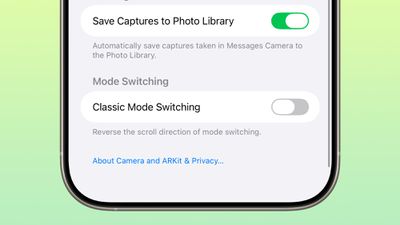
The toggle was initially added in beta 5.
Introductory Video
When you update to iOS 26, there’s now an introductory video that walks you through the Liquid Glass design changes.
Read More
We have additional info on all of the new features in iOS 26 in our dedicated iOS 26 roundup.